
In case you have forgotten your password, you can either
- contact our Helpdesk to have us perform a reset for you,
- or go to passwordreset.microsoftonline.com and perform Self-Service Password Reset (SSPR).
In case you want to opt for SSPR, make sure you have registered the Microsoft Authenticator on your account as per our Knowledge Article.
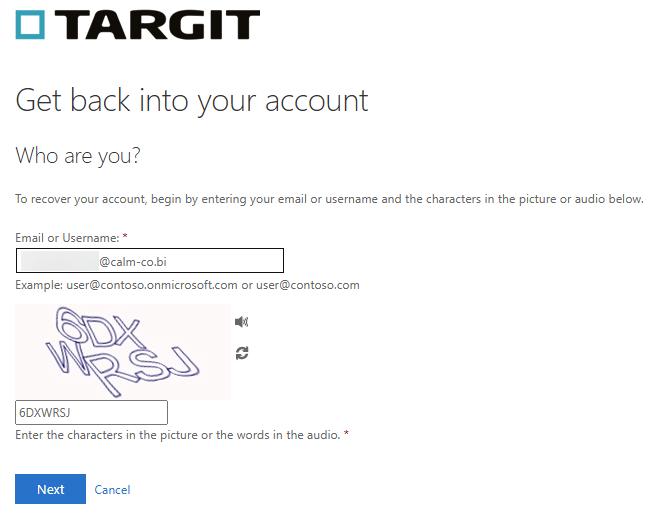
With SSPR, you have to enter your email address ( [firstname].[lastname]@calm-co.bi ) and a random code depicted in the picture.
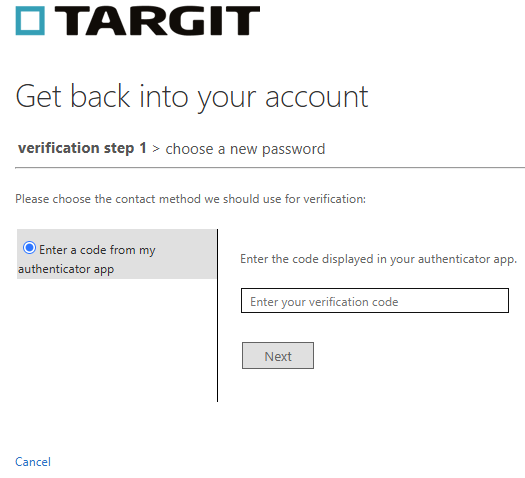
You will then need to enter the verification code as presented in your Microsoft Authenticator app.
After having done so, you can choose a new password.
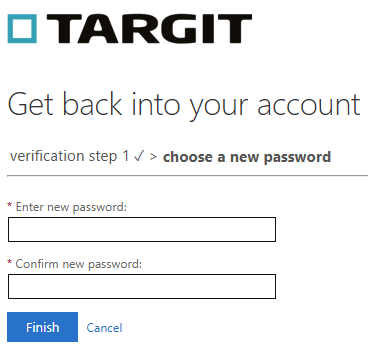
Please allow up to 15 minutes for this password to sync back to our TARGIT authentication system.