
Context
You typically log in to the TARGIT application using an on-premises Active Directory account on the CALMCO domain. If you, for example, forget your password and need to use Self-Service Password Reset (SSPR), you must first register a verification method on your linked Microsoft Entra ID account. The only verification method we accept to that end is Microsoft Authenticator.
This is a one-time setup and only takes a few minutes.
Before You Start
Make sure you have:
- A smartphone (iPhone or Android)
- The Microsoft Authenticator app installed
- iPhone: App Store
- Android: Google Play Store
- Your CalmCo email address and password. This is always in the form [firstname].[lastname]@calm-co.bi. The prefix here is the same as you would use to log in to the TARGIT Apps.
Step 1: Open Security Information Registration
Open a web browser and navigate to https://aka.ms/mysecurityinfo.
Sign in with your CalmCo account.
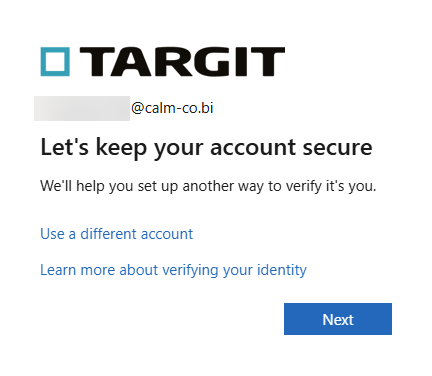
You will be prompted for the configuration of additional security after signin.
Step 2: Add Microsoft Authenticator
- Click on the Next button as displayed in the screenshot above.
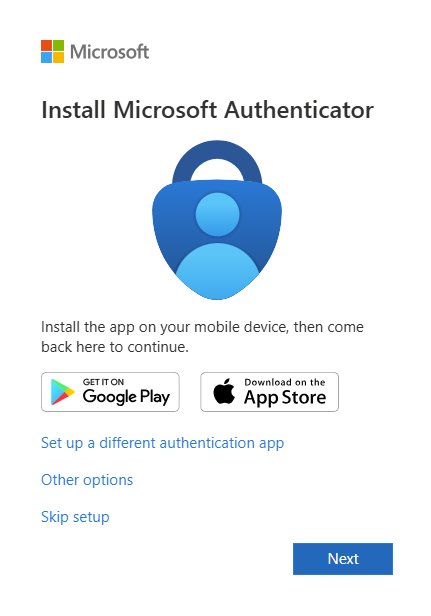
- The Microsoft Authenticator is already shown. You can add other methods, but these are not accepted during SSPR.
- Click Next.
- Follow the instructions until a QR code is displayed.
Step 3: Configure the Microsoft Authenticator App
- Open the Microsoft Authenticator app on your phone.
- Tap + (Add account).
- Select Work or school account.
- Choose Scan a QR code.
- Scan the QR code displayed on your computer screen.
The account will now be added to the app. Test the verification method with the one-time code.
In case of issues, contact your local IT team to help set up a Microsoft Authenticator account.
FAQ
- I have lost or replaced my phone.
- Contact the TARGIT Automotive Helpdesk to perform a reset of your additional security configurations.
- I forgot my password before I could add the Microsoft Authenticator.
- The TARGIT Automotive Helpdesk can still perform the necessary Password Resets like before.