In the previous versions of TARGIT, when scheduling a job, it was very obvious where to use parameters/variables instead of the original file name (tab General).
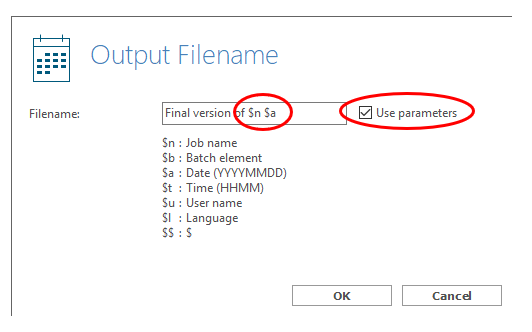
For example, when you wanted to add the current date to your file name, you could choose the option “use variables” and add the parameter/variable “$a” to the file.
In the new version, this option still exists, but it is now a bit more “hidden”.
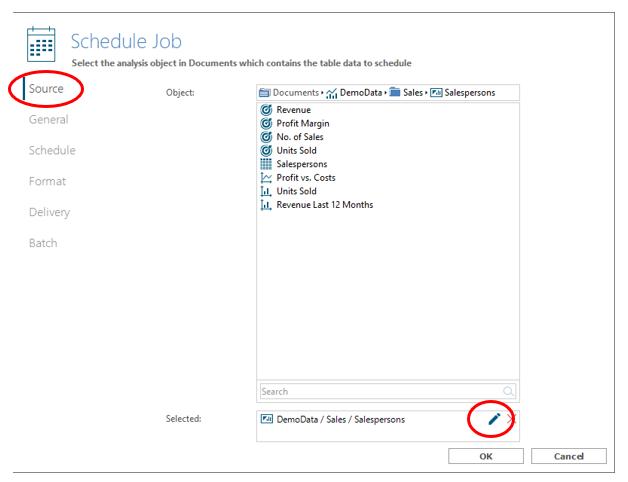
Instead of going to the tab “General”, you now go to the tab “Source” and at the bottom, next to the path of the file, you see a little pencil. When you click on that pencil, once again you will find the option to use parameters (even in combination with plain text, if so wanted).